Built for Kids, Trusted by Parents
The brief was simple on paper: design a kids platform for video, radio, games, and competitions. The real challenge was harder – make it compelling enough to close a business deal, and genuinely good enough for families who'd use it every day.

Duration
10 month
My role
Lead UX Designer: strategy, research, end-to-end design across web and mobile, design team lead
Design team
Lead UX Designer (me), UX Designer, UX Consultant
Domain
Kids, entertainment
A New Challenge
When I first joined this project as lead designer, I knew it was going to stretch me in new ways. Designing for kids means managing two audiences who want completely different things from the same product.
Kids want to explore and feel independent. Parents want control, safety, and a setup flow that doesn't eat their afternoon. Those needs don't naturally coexist, and I kept running into that tension throughout the whole project.
What Families Taught Us
We started with research, not wireframes.
With the UX Research team, I interviewed parents and watched families navigate existing kids platforms — two rounds, mixing in-depth interviews with usability testing. Getting direct time with kids was tricky, so parents filled in a lot of the picture. The sessions we did get with children were different, more raw, less filtered.
A few things stuck with me:
Kids don’t browse — they go straight for something familiar. Visual recognition does the work that categories do for adults.
Personalization mattered more than expected — nobody wanted the app to feel generic.
Hearing this, I realized the core design challenge. This wasn't really about building features. It was about giving kids enough room to feel at home, and giving parents enough visibility to feel okay stepping back.

One parent summed it up perfectly:
“I just need to know they won’t end up somewhere weird.”
Another said:
“It’s fun, but I wish it actually knew what my child likes.”
Growing Up with the Interface
Domain research made one thing clear early: kids are not a single audience. A five-year-old who can't read and a nine-year-old who wants to browse independently are using the same product in completely different ways.
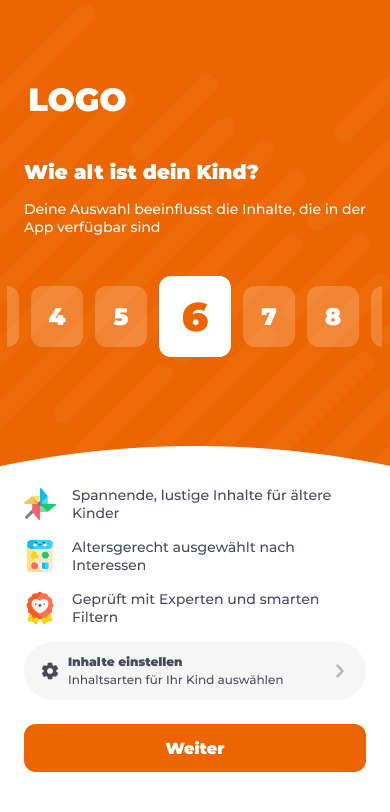
Children under 6 needed large visuals and guided navigation — reading wasn't an option, and fine motor control was still developing. Older kids wanted speed, choice, and less hand-holding. One neutral UI would have been too complex for the younger group and too slow and dull for the older one. So we designed two separate experiences, one for each stage. More work, but the only honest answer to what research was telling us.
🏆 Direction 1: Dual UI Modes
❌ Direction 2: Single Neutral UI
Target Age Range
3+ (adapted to developmental stages)
6+ realistically; not ideal for preschoolers
Usability
High – interfaces tailored to motor skills, reading ability, and attention span
Medium – too complex for young kids, less engaging for early readers
User Engagement
Strong – visual style, interactivity, and feedback adapted to age
Moderate – functional but lacks emotional engagement for younger kids
Learning Curve
Minimal – intuitive interfaces based on age-appropriate interaction patterns
Moderate – Steeper for preschoolers; needs reading or adult help
Parental Trust
High – clear control over mode, content, and experience
Moderate – one-size-fits-all approach may feel misaligned for younger users
Development Effort
Higher – two visual systems, additional onboarding logic, more testing
Lower – one system, simpler logic and faster implementation
Design/UX Complexity
Higher – needs modular design system and different interaction patterns
Lower – streamlined layout, reused components


Crafting the Experience
With research done, I started shaping the core flows.
Onboarding was the first thing we got wrong. Early versions felt like a setup checklist — long, transactional, forgettable. Parents were dropping off before finishing. We stripped it back and reframed it as a co-creation moment: kids pick their favorite characters while parents quietly configure age ranges and PIN-protected controls in the background. Two goals, one flow. Completion rates went up meaningfully in the next round.
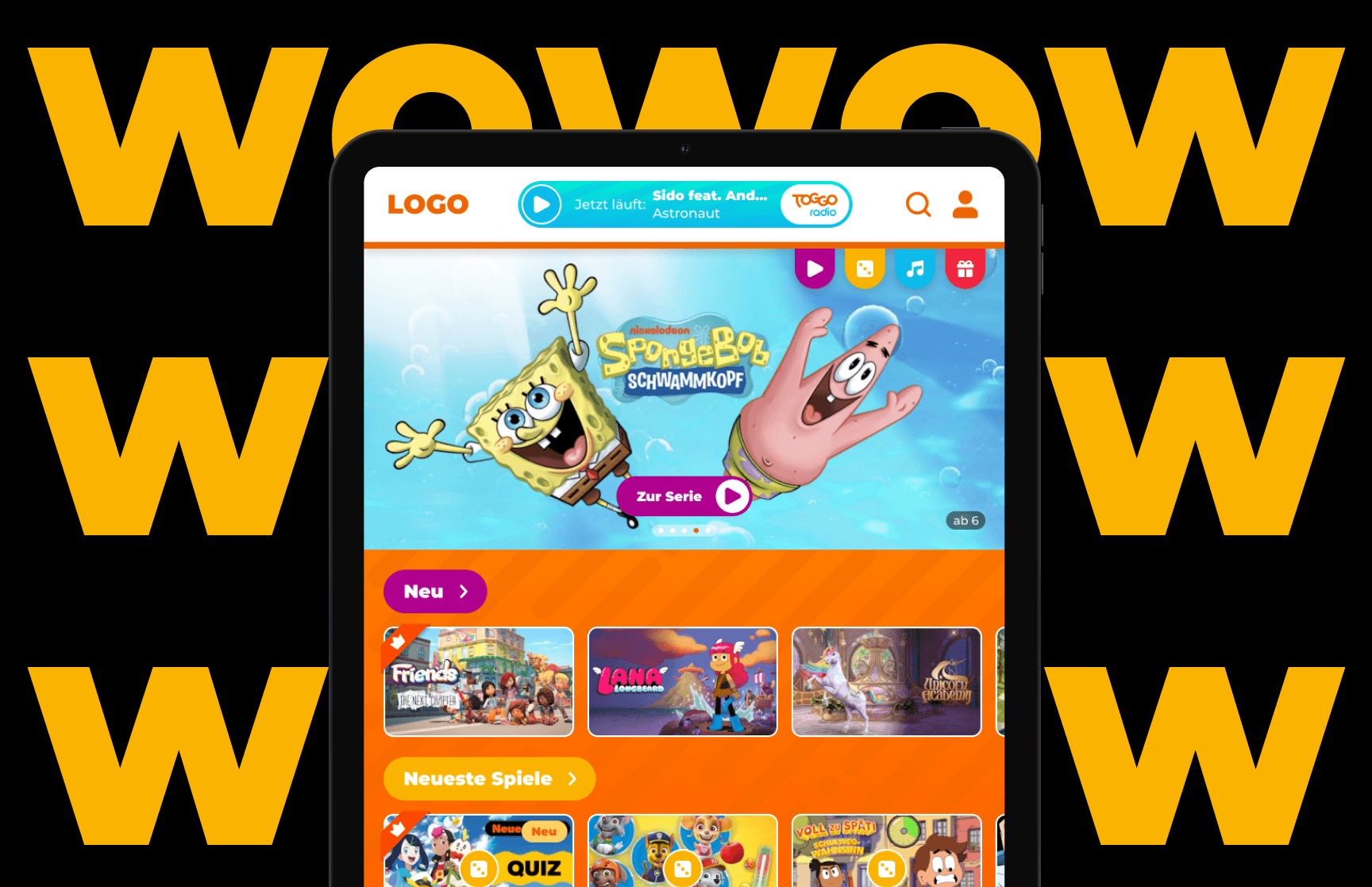
The home screen was designed to feel like a playful gallery, not a menu. Navigation leaned on characters and big visuals so kids could find their way without being able to read.
Other key flows included:
Favorites — easy to spot, satisfying to use.
Search with autocomplete and a voice input proof-of-concept for pre-readers (cut from MVP due to scope, but tested and validated for later).
Parental controls that were thorough without feeling like a settings dump.




Three full rounds of testing with parents and, where we could arrange it, kids. Each cycle tightened something — lighter onboarding, clearer search, smoother navigation.
Guiding the Team
A second designer joined shortly after discovery. I set sprint plans, prioritized tasks, and kept us coordinated across three platforms running at the same time. Regular check-ins and shared reviews stopped things from slipping out of sync. The engineering handoff was clean — minimal rework, no scramble at the end.
Early Results
The MVP launched on time across web and mobile. Final usability testing across 7 core flows showed 84% task success and an average 5.6/7 SEQ score, giving us clear validation signals before launch.
Parents felt more confident about safety and setup, while kids could navigate more independently thanks to character-led navigation. The validation gave the partner enough confidence to move forward with the product direction.


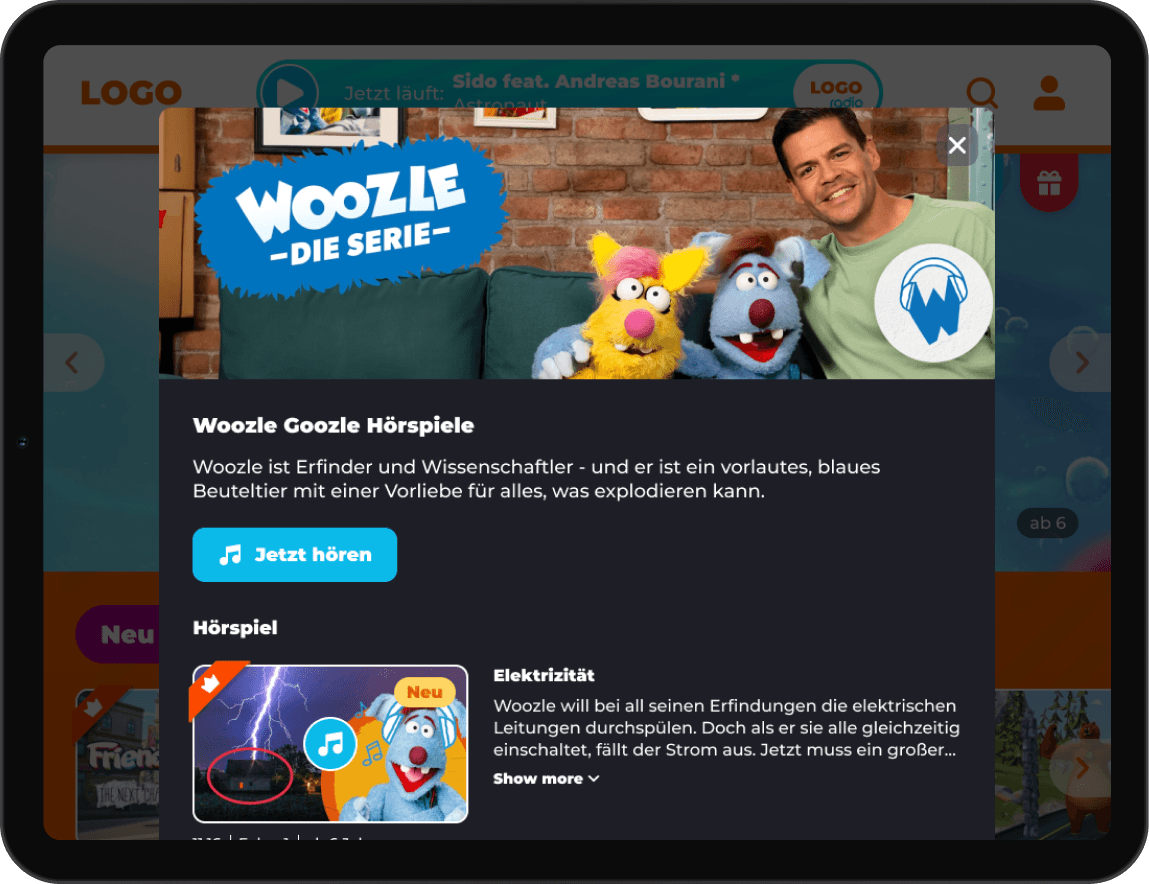


"Finally, I can let my child explore safely without constant supervision.”
What I Took Away
Watching a kid navigate independently while a parent nearby feels relaxed enough to let them — that's the specific thing I kept coming back to. It's a small moment, but it's what the whole project was trying to create.
Working solo first, then as design lead, meant learning to shift between craft and coordination without dropping either. What stays with me: listen closely, test often, and don't let the business goals crowd out the kid sitting in front of the screen.